> ## Documentation Index
> Fetch the complete documentation index at: https://docs-staging-chore-events-autoupdate.mintlify.site/llms.txt
> Use this file to discover all available pages before exploring further.

> Découvrez comment configurer vos connexions Vault Mailjet pour envoyer des courriels avec Mailjet.

# Connexion Vault Mailjet

<h2 id="get-your-mailjet-keys">
  Récupérez vos clés Mailjet
</h2>

Vous les trouverez sur la page Compte du [tableau de bord Mailjet](https://app.mailjet.com/account/api_keys), sous « Clés API ».

<h2 id="configure-your-mailjet-vault-connection">
  Configurer votre connexion Vault Mailjet
</h2>

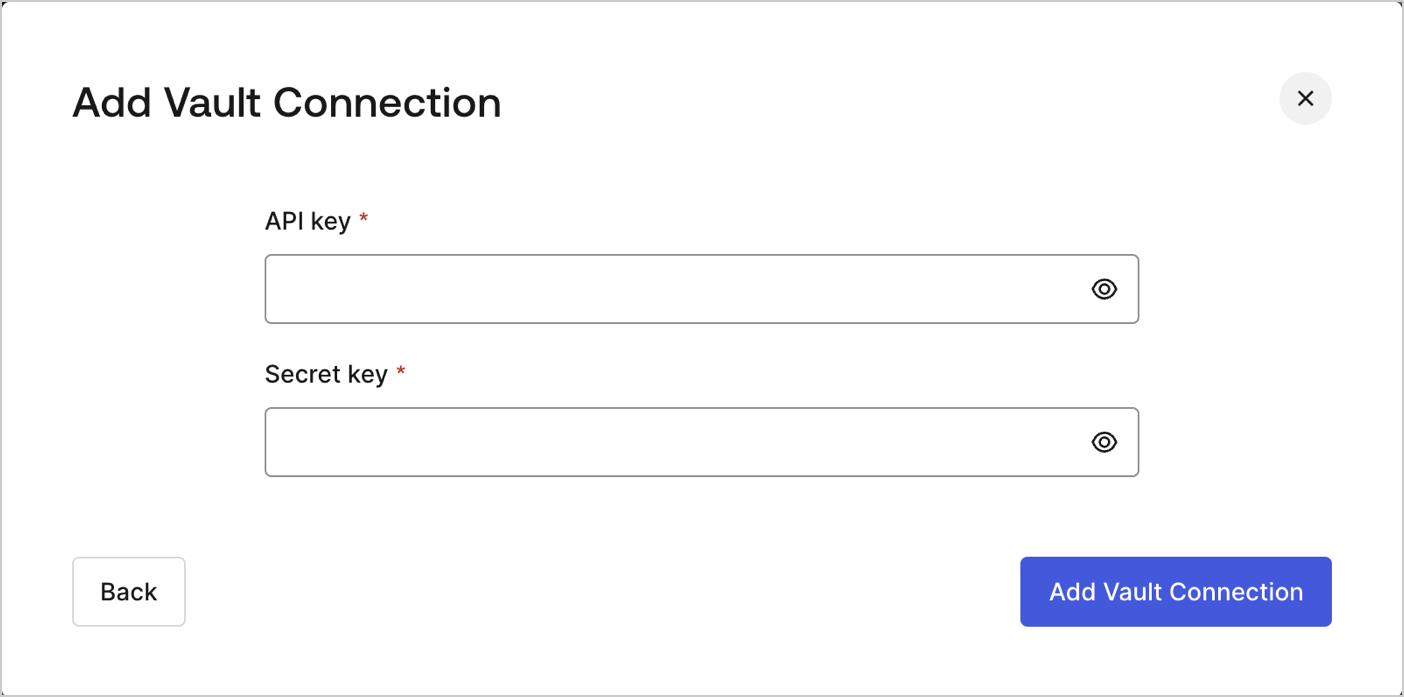
Pour configurer une connexion Vault Mailjet pour vos actions de Flow Mailjet, vous devez indiquer les paramètres requis.
<Frame>
  <img src="https://mintcdn.com/docs-staging-chore-events-autoupdate/XbbffYOZacnyp6Rv/docs/images/customize/forms/vaults/mailjet-vault-connection.png?fit=max&auto=format&n=XbbffYOZacnyp6Rv&q=85&s=66a91582a20ad7f8ca1889da23083425" alt="Dashboard > Actions > Forms > Vault > MailJet" data-og-width="1404" width="1404" data-og-height="697" height="697" data-path="docs/images/customize/forms/vaults/mailjet-vault-connection.png" data-optimize="true" data-opv="3" srcset="https://mintcdn.com/docs-staging-chore-events-autoupdate/XbbffYOZacnyp6Rv/docs/images/customize/forms/vaults/mailjet-vault-connection.png?w=280&fit=max&auto=format&n=XbbffYOZacnyp6Rv&q=85&s=bd7a0466ad01866145dce165ae386640 280w, https://mintcdn.com/docs-staging-chore-events-autoupdate/XbbffYOZacnyp6Rv/docs/images/customize/forms/vaults/mailjet-vault-connection.png?w=560&fit=max&auto=format&n=XbbffYOZacnyp6Rv&q=85&s=9c2ce45497cdaf86e7c849f927e9a8d4 560w, https://mintcdn.com/docs-staging-chore-events-autoupdate/XbbffYOZacnyp6Rv/docs/images/customize/forms/vaults/mailjet-vault-connection.png?w=840&fit=max&auto=format&n=XbbffYOZacnyp6Rv&q=85&s=d8cb2cf81d846609438ec287db77a2c3 840w, https://mintcdn.com/docs-staging-chore-events-autoupdate/XbbffYOZacnyp6Rv/docs/images/customize/forms/vaults/mailjet-vault-connection.png?w=1100&fit=max&auto=format&n=XbbffYOZacnyp6Rv&q=85&s=fb0da97034f9767ebacca3195e4d8a70 1100w, https://mintcdn.com/docs-staging-chore-events-autoupdate/XbbffYOZacnyp6Rv/docs/images/customize/forms/vaults/mailjet-vault-connection.png?w=1650&fit=max&auto=format&n=XbbffYOZacnyp6Rv&q=85&s=de97c0fac5ca4862e7af0dcf374e2d4a 1650w, https://mintcdn.com/docs-staging-chore-events-autoupdate/XbbffYOZacnyp6Rv/docs/images/customize/forms/vaults/mailjet-vault-connection.png?w=2500&fit=max&auto=format&n=XbbffYOZacnyp6Rv&q=85&s=782aca1db9b62aa7e7050568a3e066c9 2500w" />
</Frame>

<h3 id="input-settings">
  Paramètres d’entrée
</h3>

| Paramètre | Description |
| - | - |
| Clé API | Clé API pour l’authentification à l’API Mailjet. |
| Clé secrète | Clé secrète pour l’authentification à l’API Mailjet. |
